Complete Feature Documentation

Full Features &
Functionalities Guide

A comprehensive breakdown of every module, screen, and capability in the Kasa Groceries ecosystem — covering the customer mobile app, vendor portal, and admin dashboard.

📱
Module 1

Customer Mobile App

Flutter (Android & iOS) • Firebase integrated

🔐

Onboarding & Auth

  • Welcome walkthrough with 4-step screens
  • Email & password registration
  • Email OTP verification with resend
  • Social login (Google/Apple ready)
  • Secure JWT token session management
  • Profile photo upload & editing
🏠

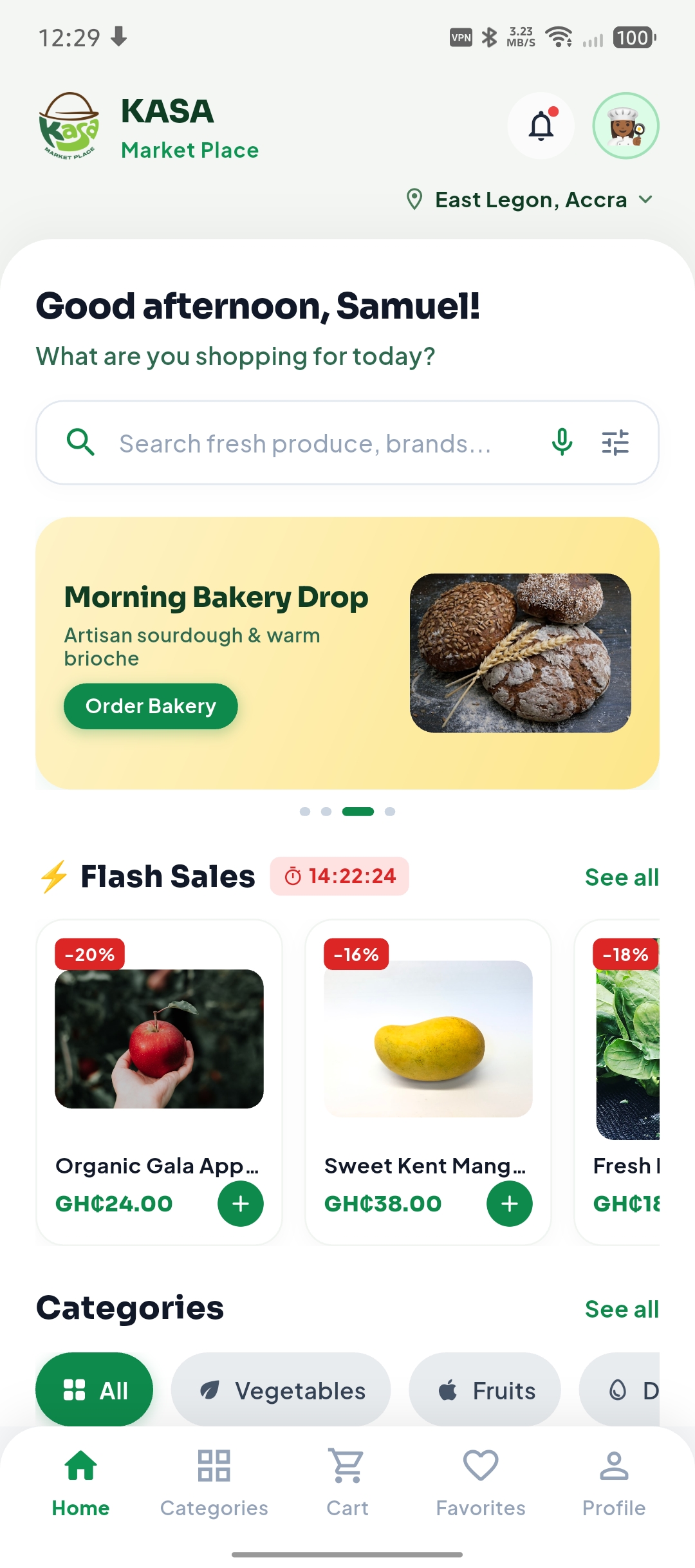
Home Feed & Discovery

  • Personalized greeting with time of day
  • City & location selector (live GPS or manual)
  • Searchable product modal with filters
  • Banner carousel (admin-managed promotions)
  • Category pills (Veggies, Fruits, Meats, etc.)
  • Featured products and flash sale widgets
  • New arrivals and best sellers sections
🛒

Product Catalog

  • Filterable product grid by category
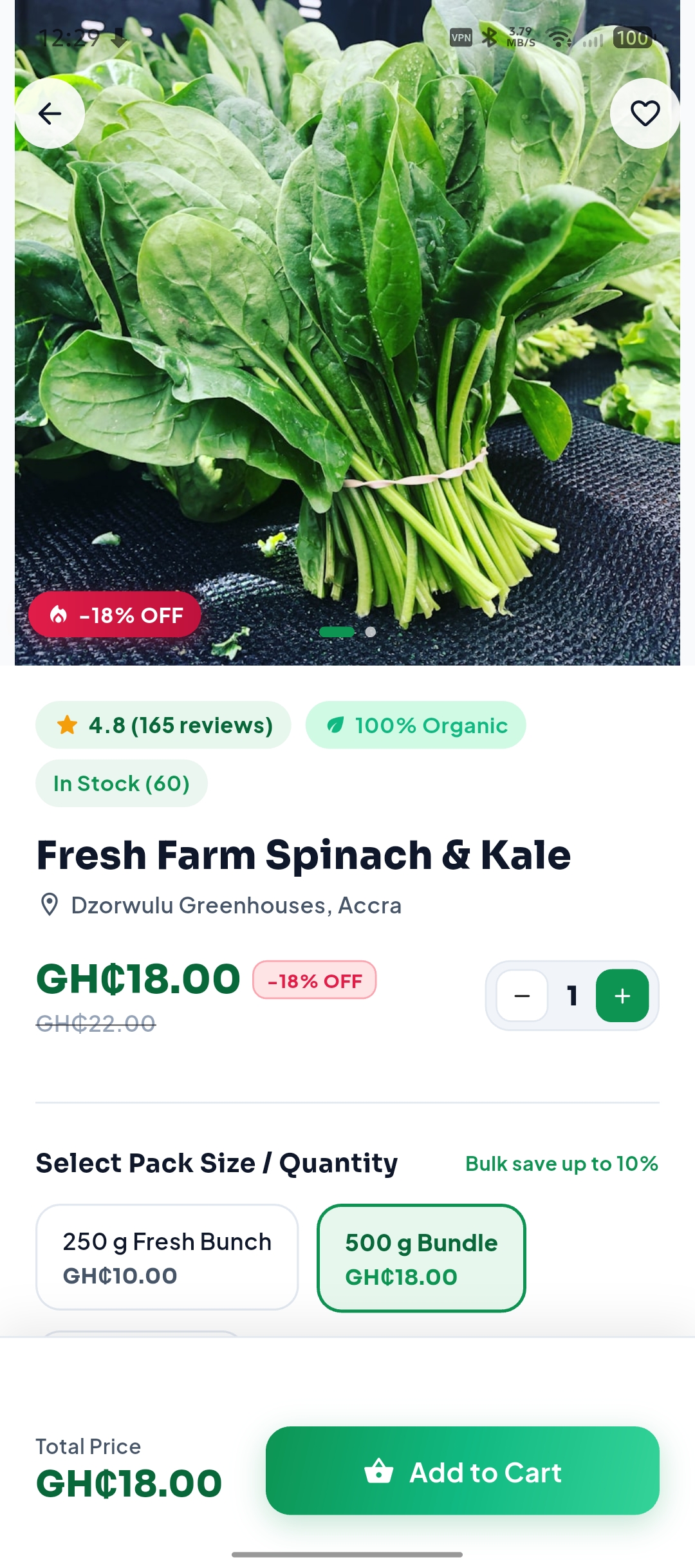
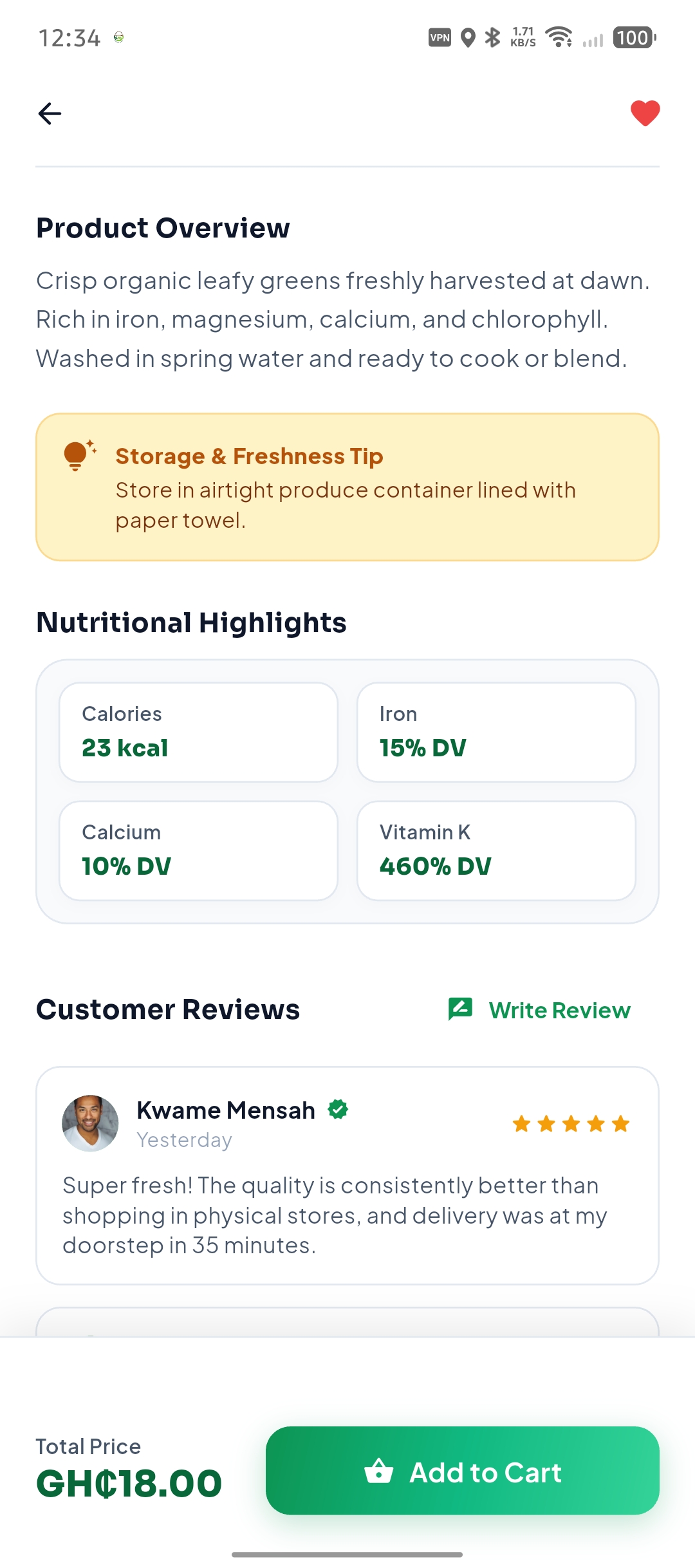
  • Product detail pages with full info
  • Image gallery on product detail
  • Unit selector (kg, piece, bundle)
  • Stock status indicator
  • Related products suggestions
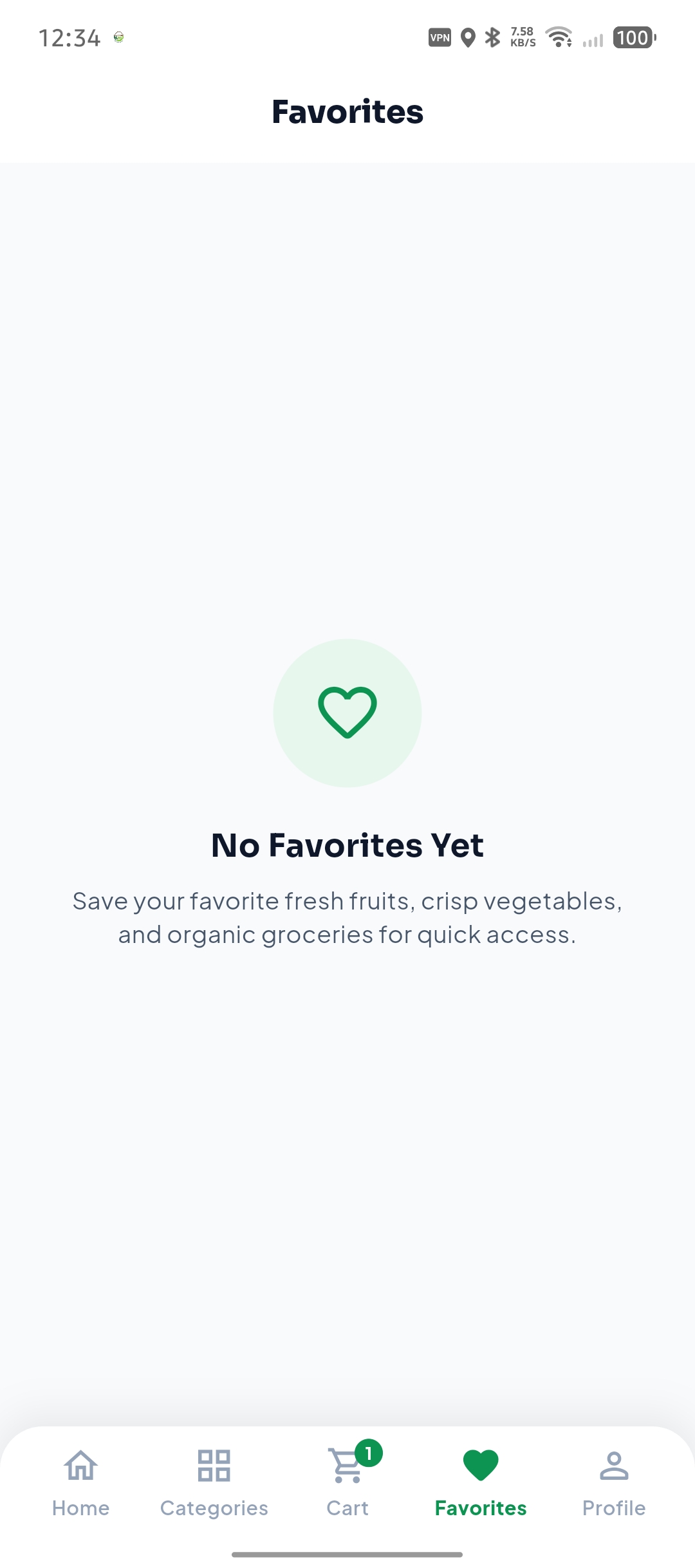
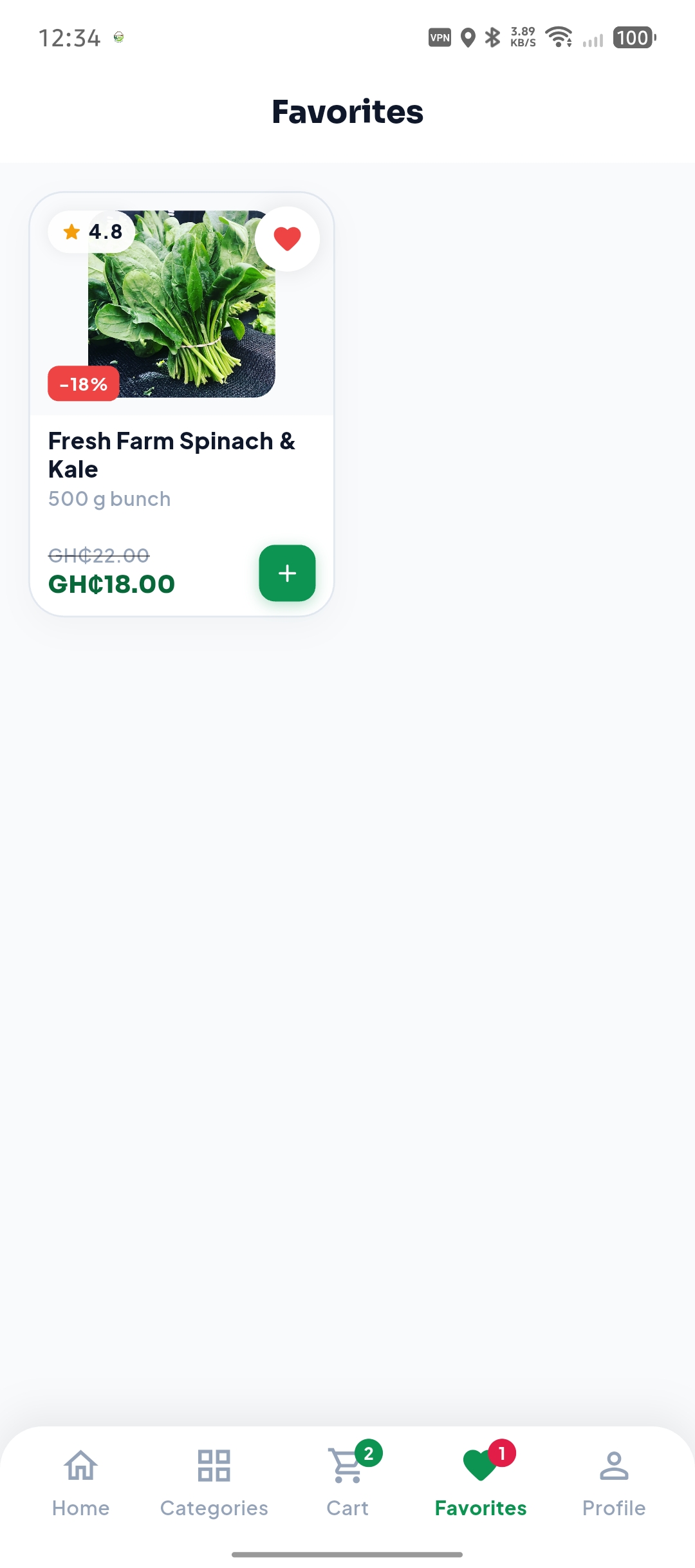
  • Save to wishlist/favorites
🛍️

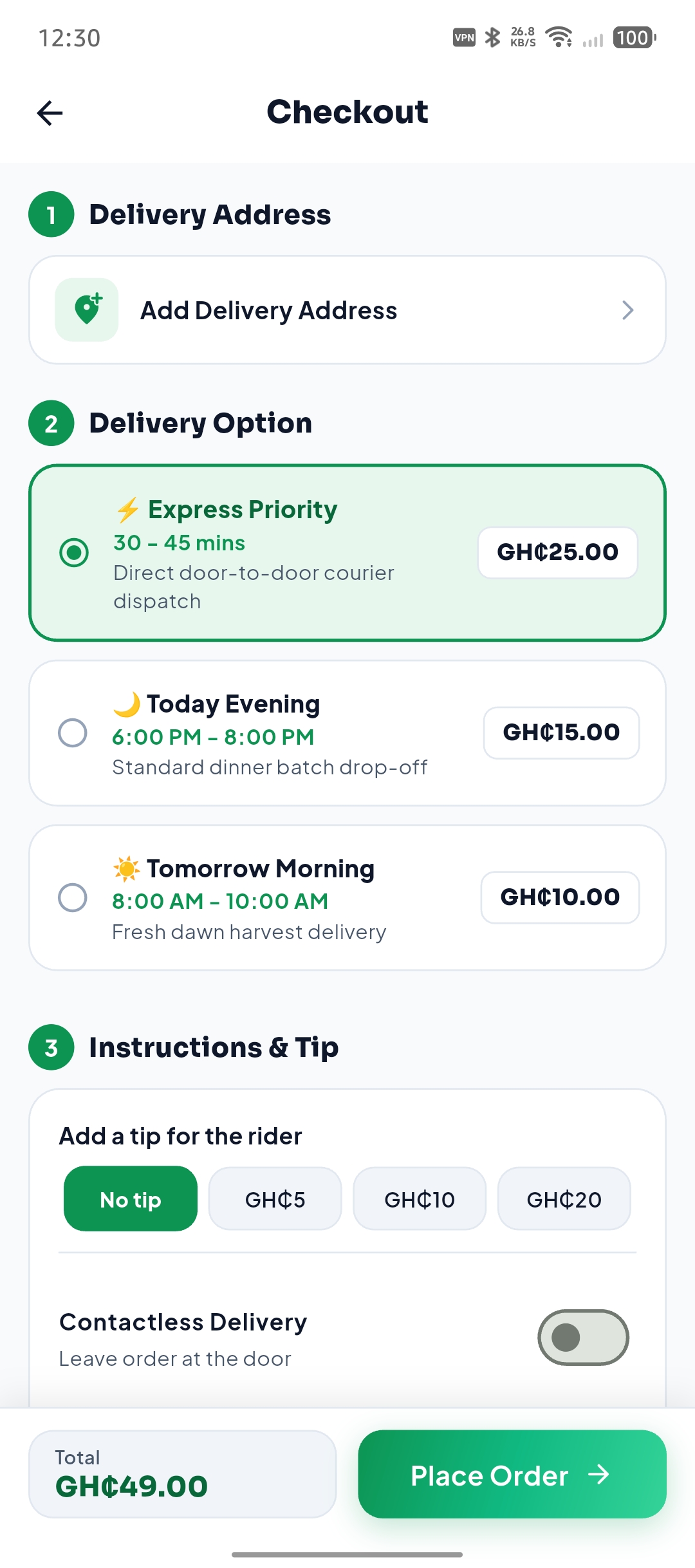
Shopping Cart & Checkout

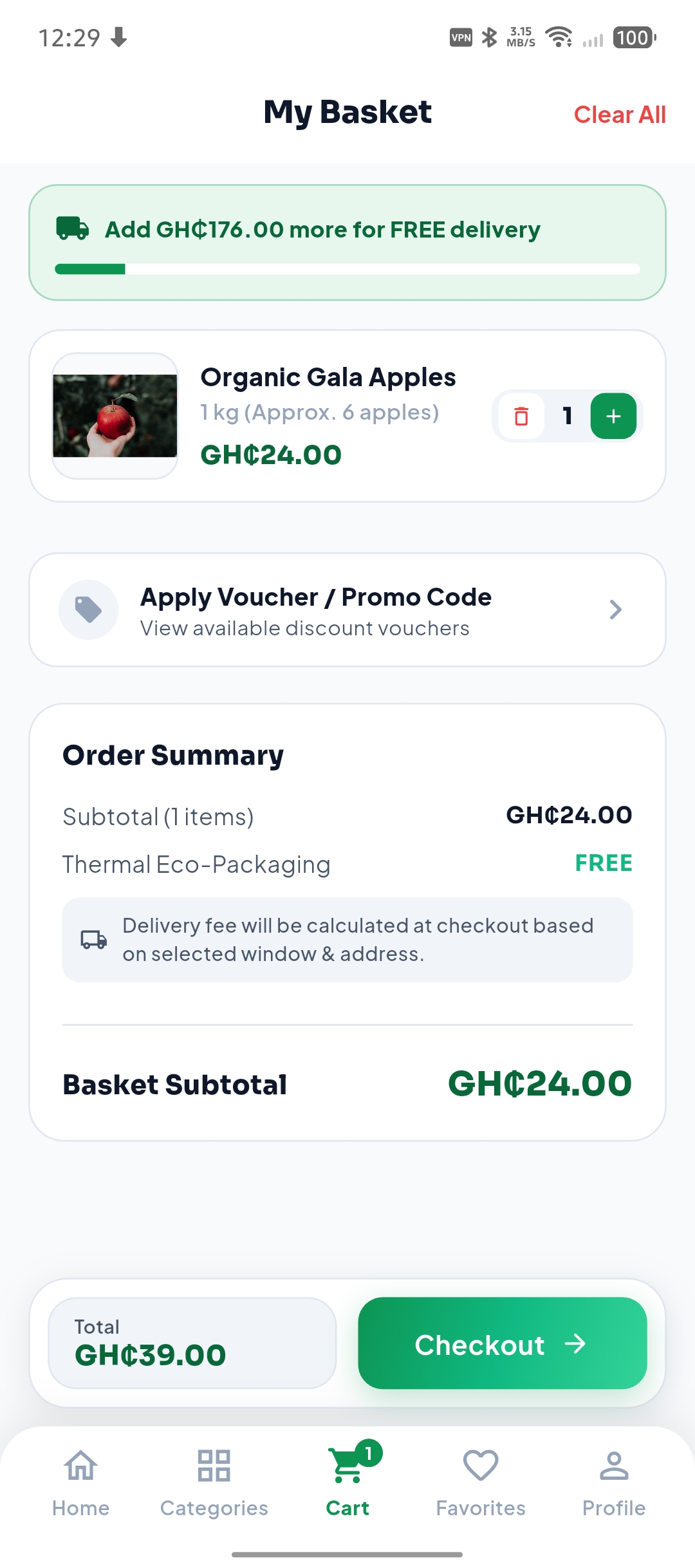
  • Multi-item cart with quantity controls
  • Live subtotal, delivery fee, discount calculation
  • Delivery address management
  • Scheduled delivery time selection
  • Coupon / promo code redemption
  • VIP cashback applied automatically
  • Order note / special instructions field
💳

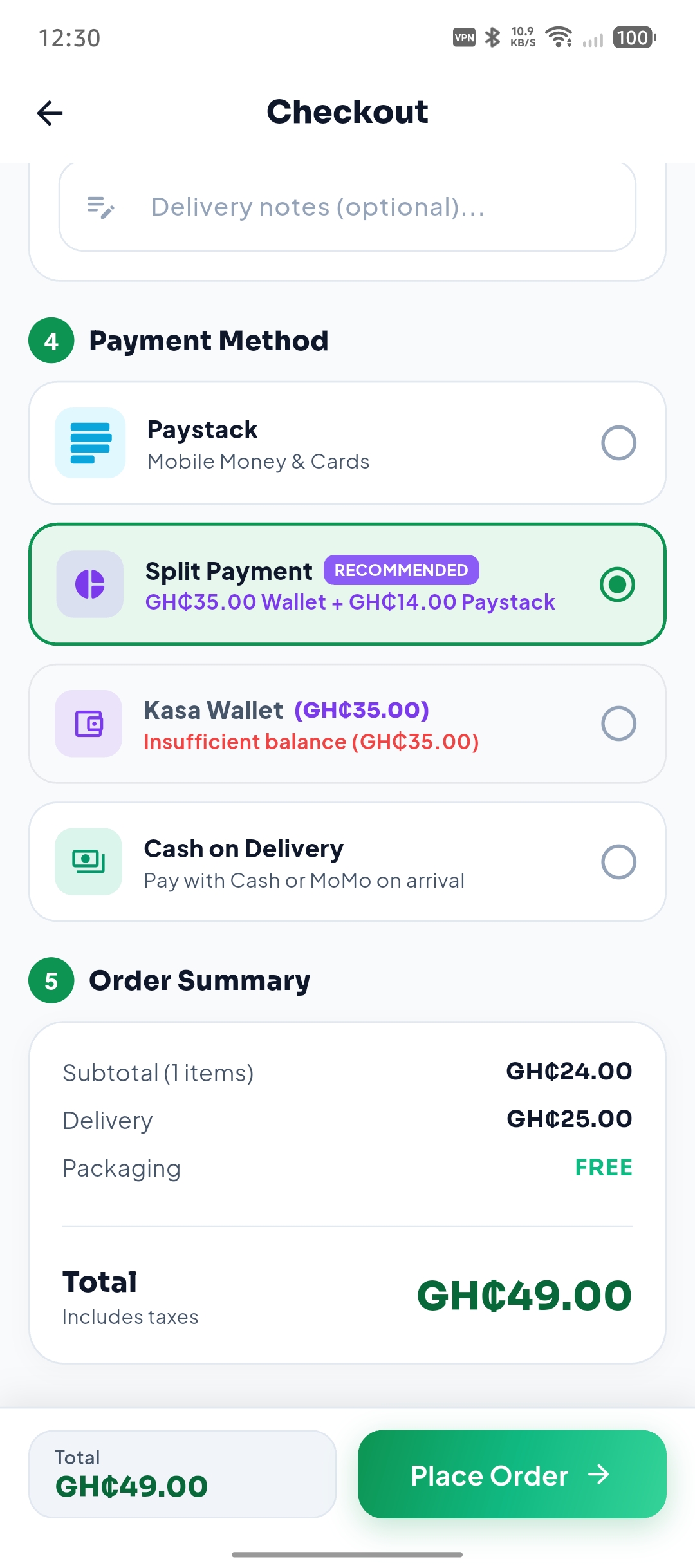
Payments

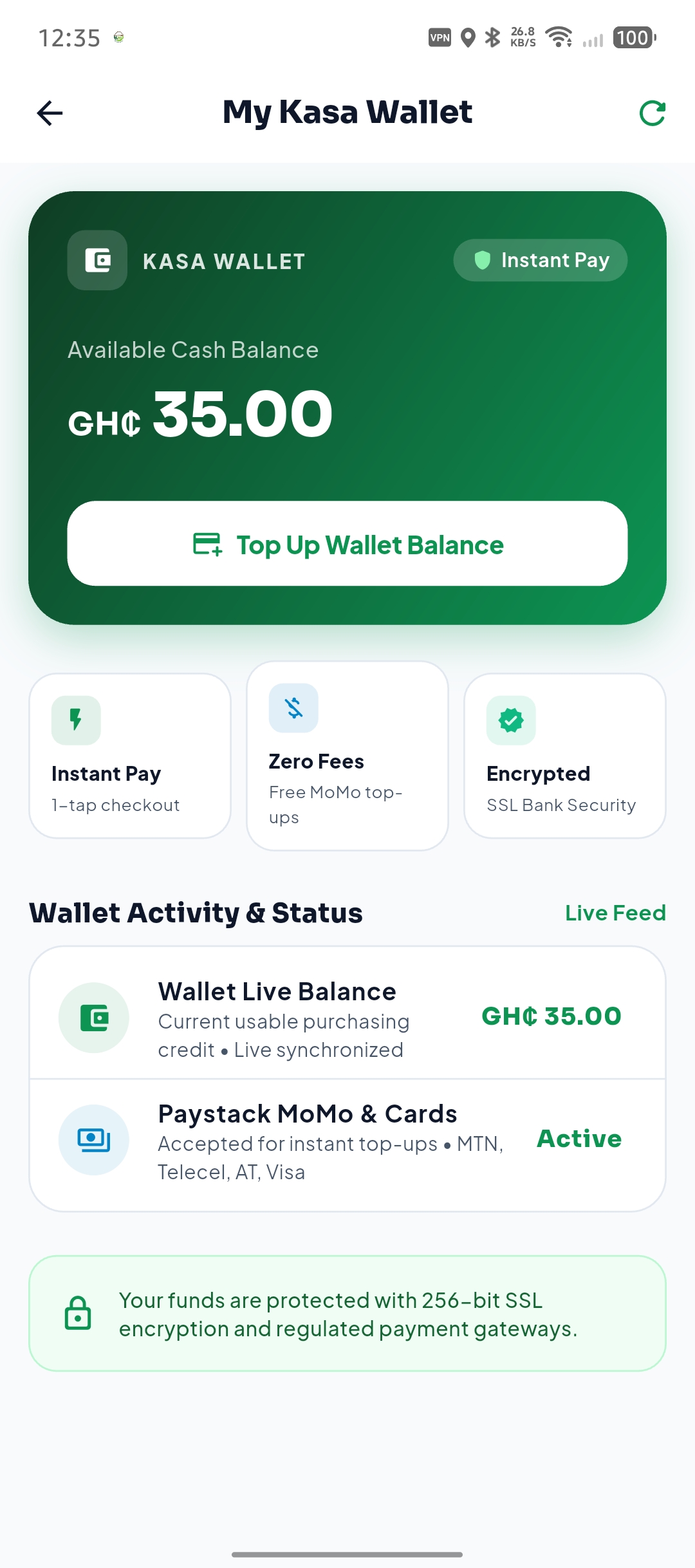
  • Kasa Wallet (internal balance)
  • Paystack gateway (MoMo + Bank Card)
  • One-tap wallet top-up flow
  • Transaction history in wallet tab
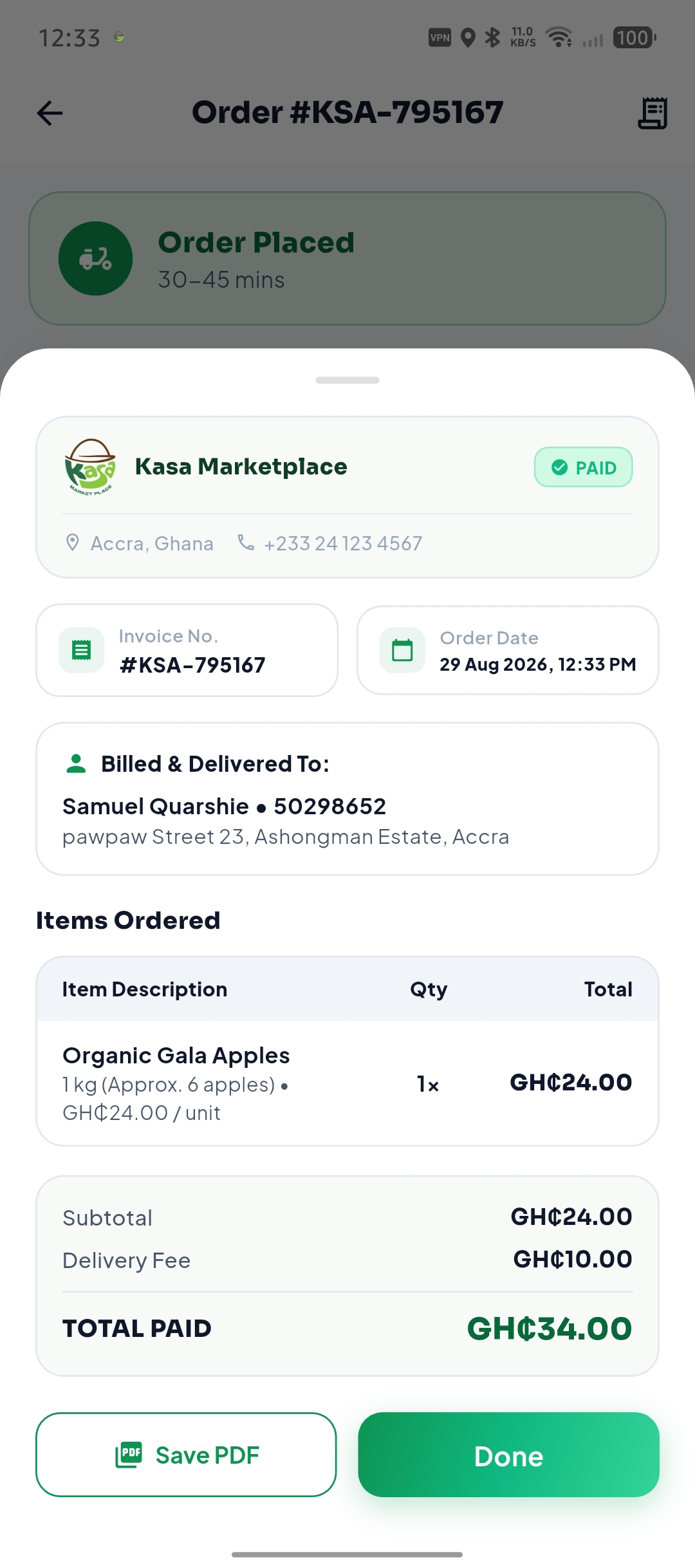
  • Payment receipt generation
  • Refund credit back to wallet
📦

Order Management

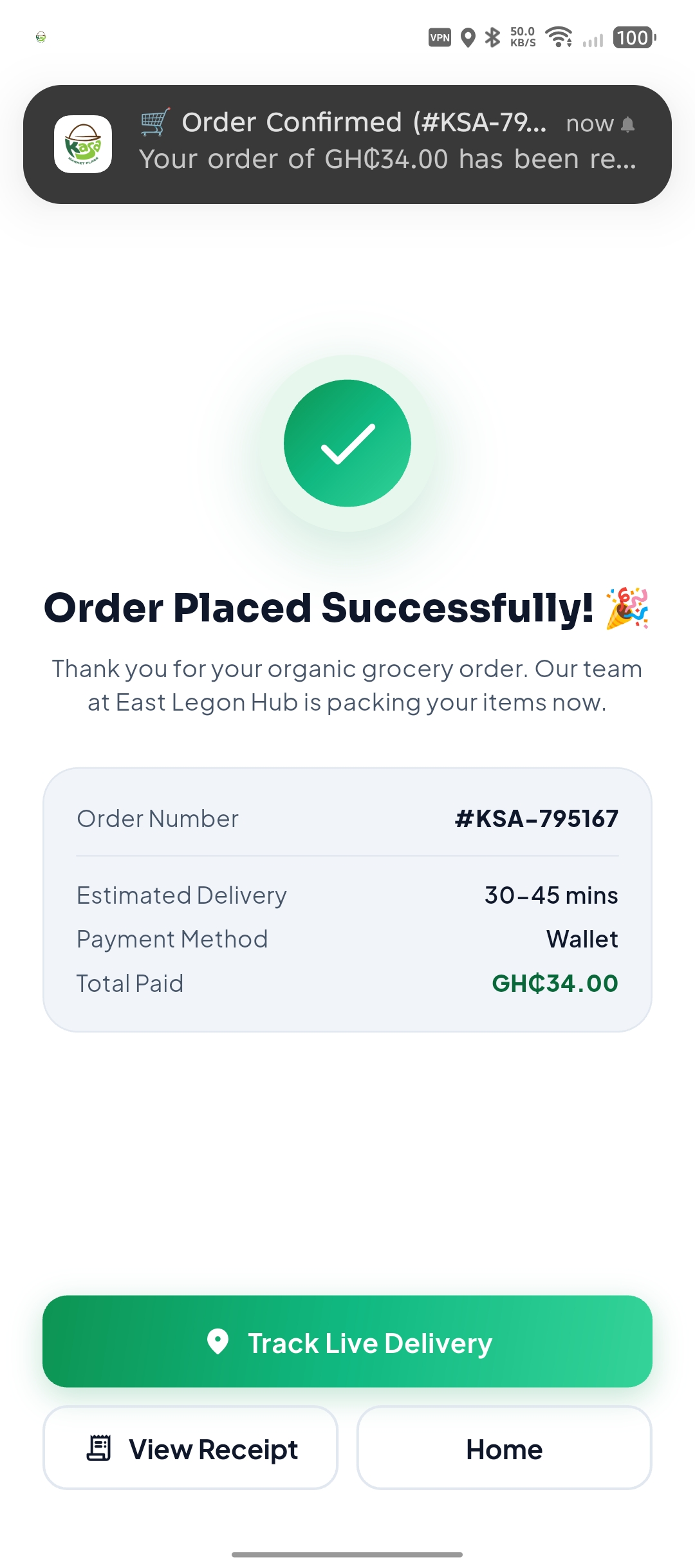
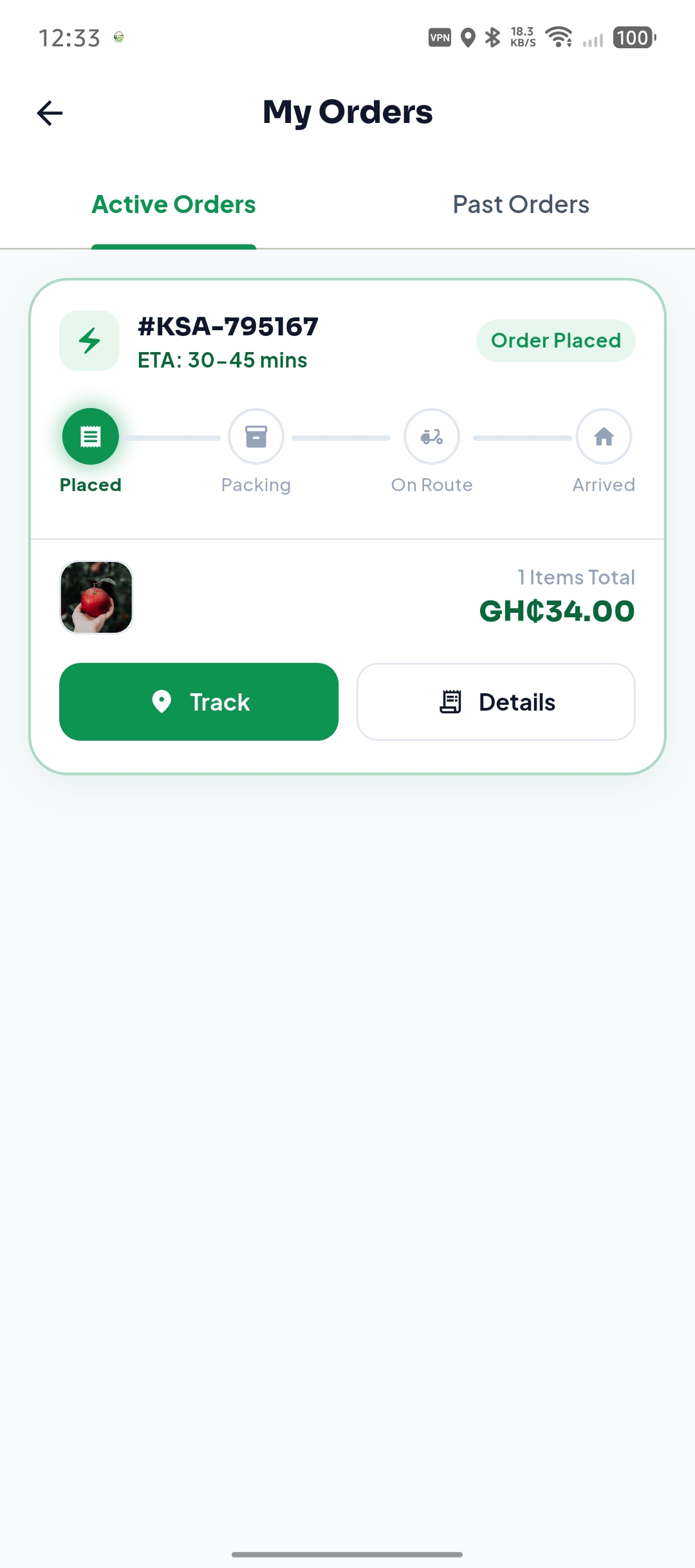
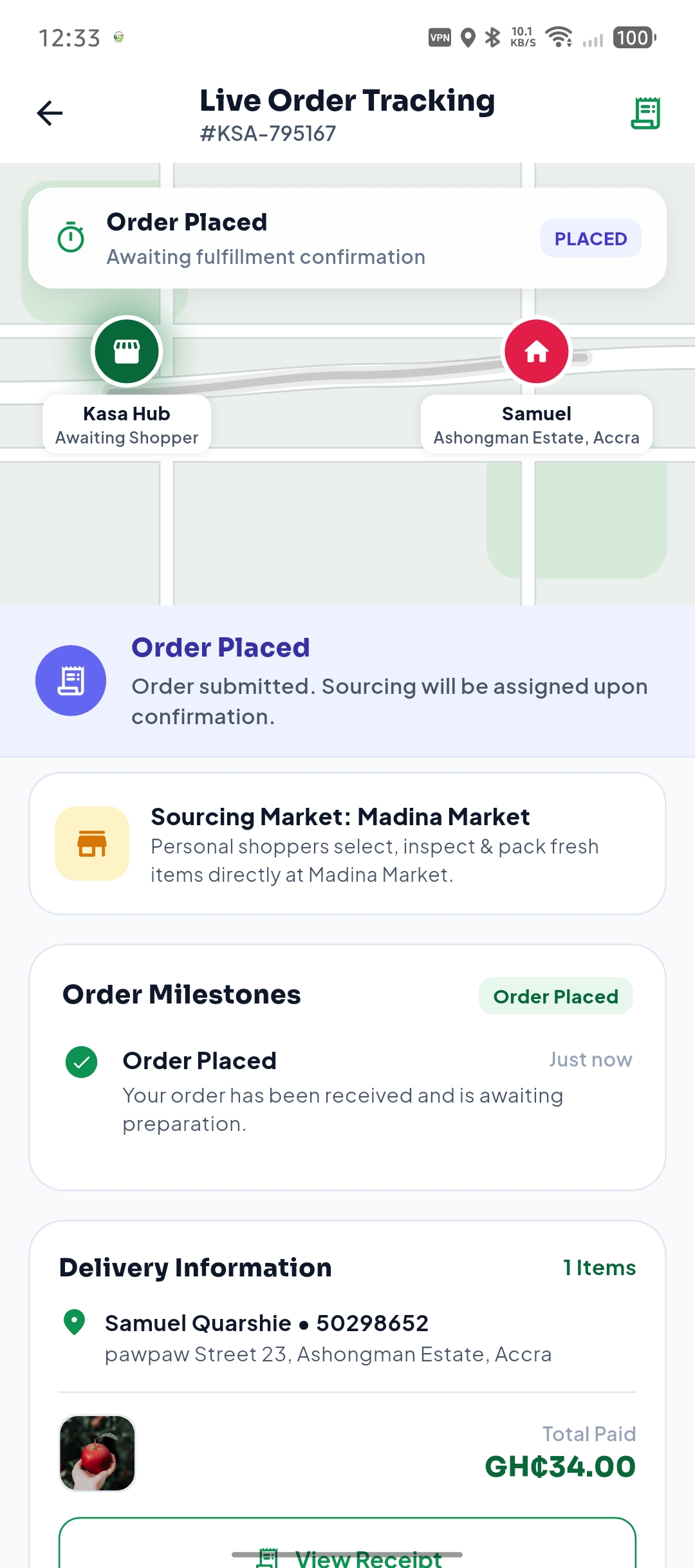
  • Real-time order status tracking
  • Push notification milestones (Placed, Dispatched, Delivered)
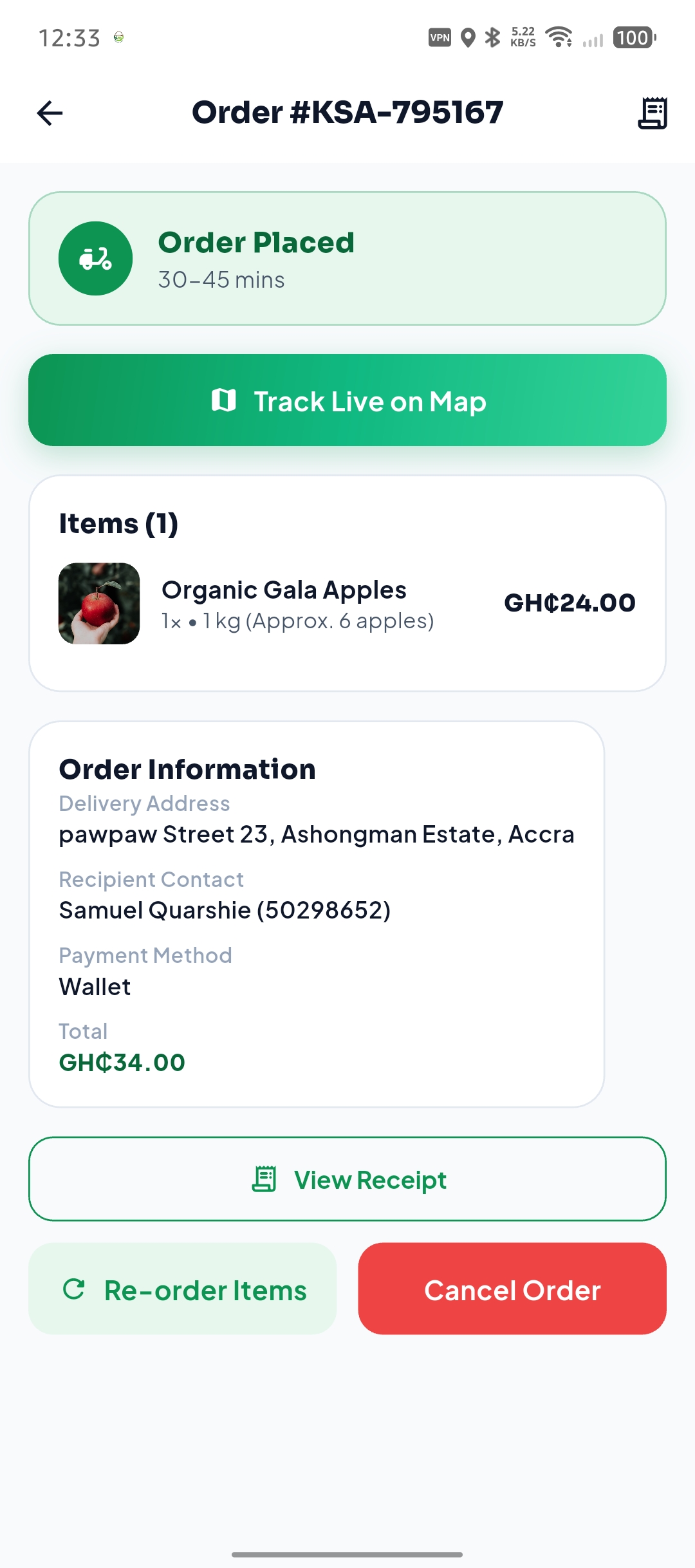
  • Order history with re-order shortcut
  • Order detail view with item breakdown
  • Order cancellation with reason (before dispatch)
  • Delivery photo proof on completion
👑

Kasa Prime VIP

  • 3 subscription tiers: Monthly, Quarterly, Annual
  • Real Paystack payment processing
  • Auto-expiry check on login
  • "Active until [Date]" banner on profile
  • Extend membership flow for existing VIPs
  • Already-active guard screen with upgrade option
  • 5% instant cashback on every order
  • Free delivery badge visible in cart
👤

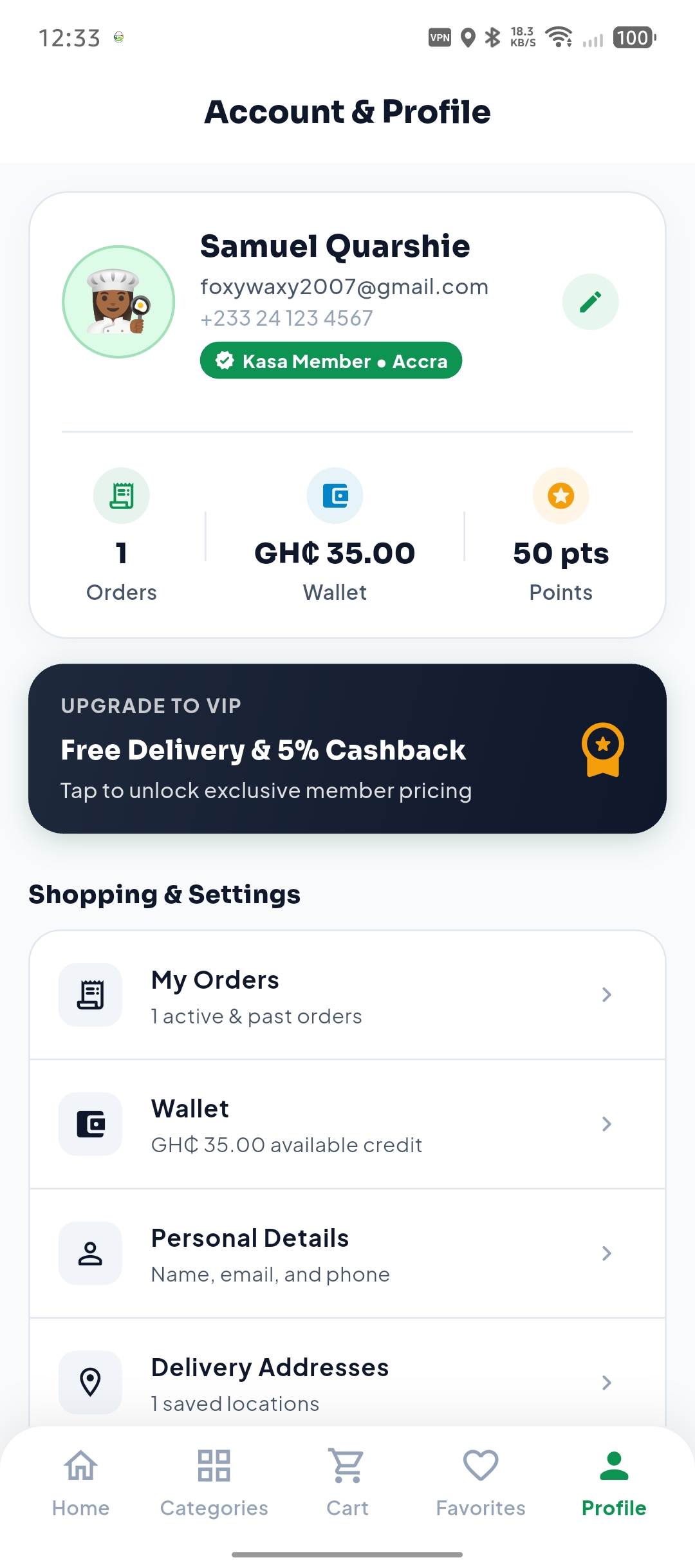
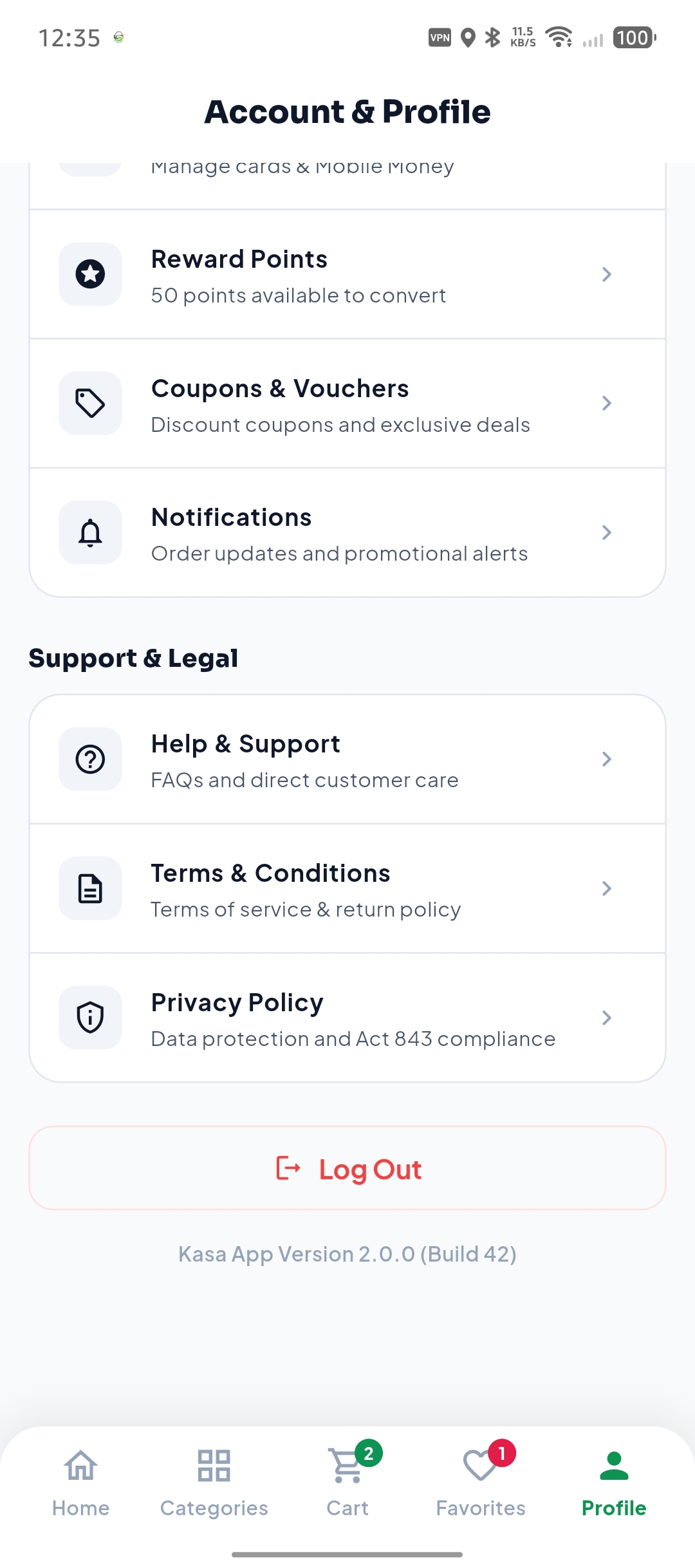
Profile & Settings

  • Profile photo, name, email, phone editing
  • Address book management
  • My Orders quick-access
  • Wishlist & favorites
  • Wallet balance & top-up
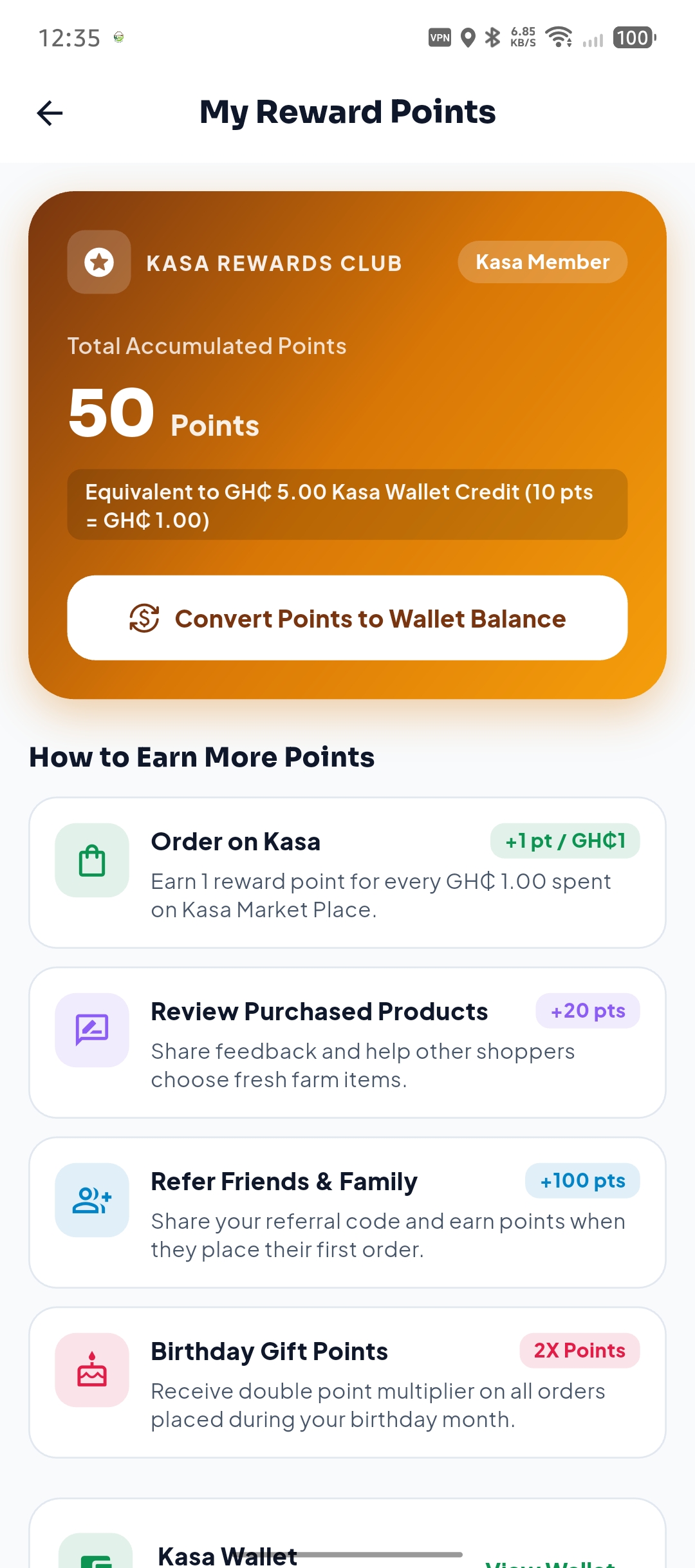
  • Referral code sharing
  • Notification preferences
  • App version, logout, delete account
🔔

Notifications

  • Firebase FCM push notifications
  • In-app notification inbox
  • Order status updates
  • Flash sale alerts
  • Maintenance mode banner
  • VIP expiry reminders
🏪
Module 2

Vendor Portal

Web-based portal for market vendors to manage their stores

🔑

Vendor Authentication

  • Separate vendor login portal
  • Vendor profile & store information
  • Profile photo and store logo upload
  • Password change & security settings
🥦

Product Management

  • Add, edit, delete products
  • Product images (multiple per item)
  • Category assignment
  • Stock quantity and unit management
  • Product visibility toggle
  • Bulk pricing options
📋

Order Handling

  • View all orders for their market
  • Order status management
  • Print packing slip
  • Order item breakdown view
💵

Earnings & Payouts

  • Earnings dashboard by period
  • Per-order commission breakdown
  • Payout request functionality
  • Payment history log
⚙️

Market Settings

  • Operating hours configuration
  • Minimum order amount setting
  • Store open/closed toggle
  • Contact information management
⭐

Reviews & Ratings

  • View customer reviews per product
  • Average rating display
  • Flag inappropriate reviews
  • Respond to customer feedback
⚙️
Module 3

Admin Dashboard

Full control panel — Laravel backend, web interface

📊

Dashboard Overview

  • Live stats: orders, revenue, customers, vendors
  • Weekly/monthly order trend chart
  • Top selling products list
  • Recent orders feed
  • Quick action buttons
  • System health indicators
📦

Order Management

  • All orders with filter by status
  • Order detail with item list
  • Assign delivery boy to order
  • Update order status manually
  • Cancel & refund processing
  • Order export (CSV)
👥

Customer Management

  • Full customer list with search
  • Customer profile detail view
  • Order history per customer
  • Wallet balance visibility
  • VIP status and expiry date
  • Account suspension / activation
🛒

Product & Category

  • Product CRUD with images
  • Category create/edit/delete
  • Stock management
  • Bulk publish/unpublish
  • Featured product toggle
  • Product review moderation
🏪

Market & Vendor

  • Create/manage market locations
  • Assign products to markets
  • Vendor account creation
  • Commission rate settings
  • Vendor earnings overview
  • Payout approval workflow
🛵

Delivery Management

  • Delivery boy account management
  • Zone-based pricing configurator
  • Assign rider to order
  • Rider performance summary
  • Delivery history log
  • GPS-based zone map
🎯

Banners & Promotions

  • Banner image upload & scheduling
  • Flash sale creation with end time
  • Discount percent or fixed amount
  • Target specific product or category
  • Active/inactive toggle
  • Promotion analytics
🔔

Push Notifications

  • Broadcast to all users or VIP only
  • Rich notification with image
  • Schedule for future send
  • Topic-based FCM (all_users, customers)
  • Maintenance mode toggle broadcasts
  • Notification delivery log
🔧

Settings & Config

  • App-wide settings editor
  • Paystack API key management
  • VIP plan pricing & duration config
  • Delivery fee per-zone pricing
  • Minimum order threshold
  • Maintenance mode on/off
🔔

Notification System

Kasa uses Firebase Cloud Messaging (FCM) for all real-time push notifications. The admin can broadcast to specific user segments.

Order Placed

"Your order #1234 has been received"

Order Dispatched

"Your order is on the way! 🛵"

Order Delivered

"Delivered! Enjoy your groceries 🎉"

Flash Sale

"50% OFF on Tomatoes — Today only!"

VIP Activated

"Welcome to Kasa Prime VIP 👑"

VIP Expiry

"Your VIP membership expires in 3 days"

Maintenance

"App is undergoing scheduled maintenance"

Wallet Top-up

"GH₵50 added to your Kasa Wallet"

💳

Payment System

Kasa supports dual payment methods — the internal Kasa Wallet and Paystack gateway for mobile money and card payments.

💚

Kasa Wallet

  • • Top up via Paystack (MoMo / Card)
  • • Pay for orders directly from balance
  • • VIP cashback auto-credited here
  • • Refunds credited back to wallet
  • • Transaction history with date & amount
🏦

Paystack Gateway

  • • MTN MoMo & Vodafone Cash
  • • Visa / Mastercard support
  • • Secure hosted checkout flow
  • • VIP subscription payments
  • • Real-time payment verification
👑

VIP Subscription Billing

  • • One-time payment per tier (not recurring)
  • • Paystack verifies before activating VIP
  • • Extend flow adds time to existing expiry
  • • Auto-downgrade when subscription expires

Technology Stack

Built with modern, production-grade technologies

📱

Flutter

Cross-platform mobile app (Android & iOS)

⚡

Laravel 11

RESTful API backend + admin web panel

🔥

Firebase FCM

Real-time push notifications

💳

Paystack

Payment gateway (MoMo + Cards)

🗄️

MySQL

Primary relational database

🖥️

XAMPP / Apache

Local & staging server environment

🔄

Riverpod

State management in Flutter app

🔤

Google Fonts

Sora & Plus Jakarta Sans typography

App Screenshots

App Screenshots Gallery

Drop numbered image files into /public/screenshots/ (1.jpg, 2.jpg, 3.jpg / .png) — they auto-load here.

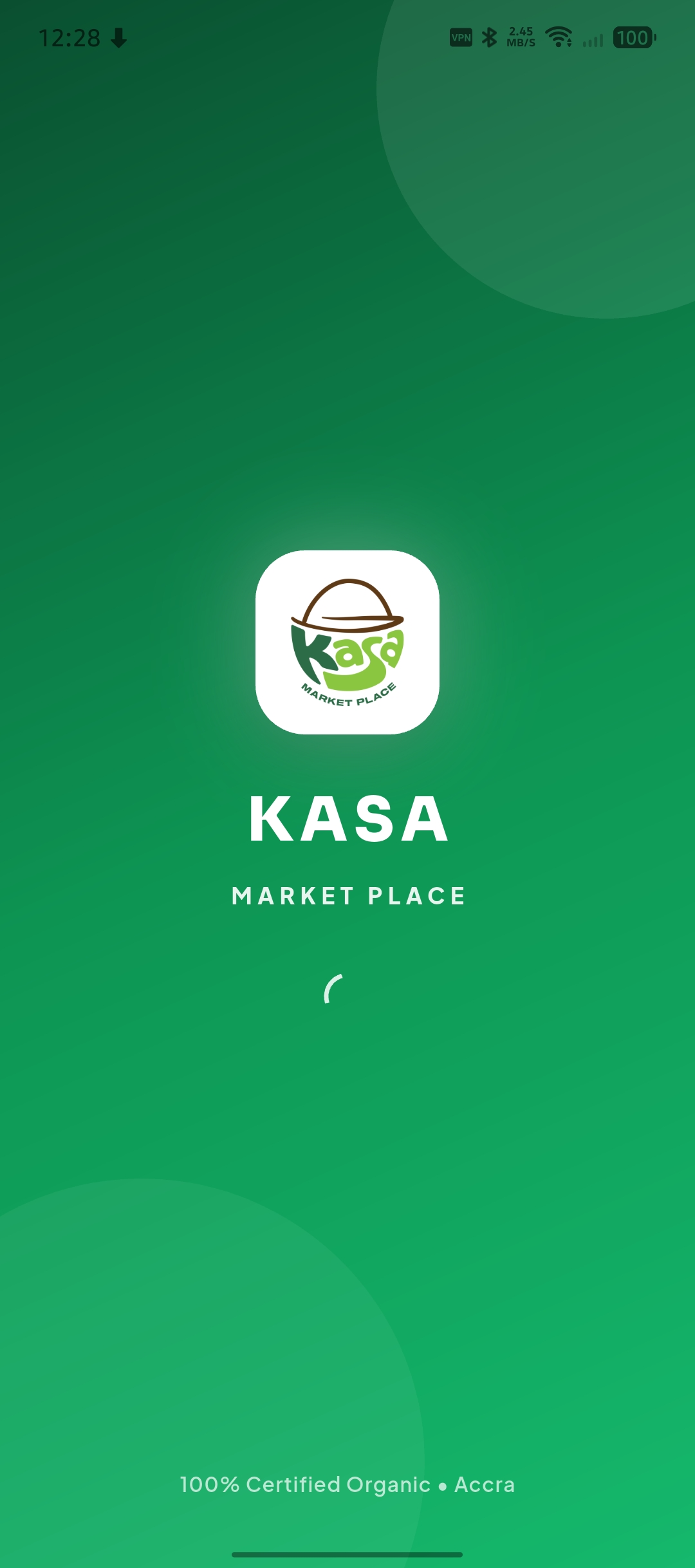
Kasa App Screenshot 1
Screen 1 Zoom →
Enlarge
Kasa App Screenshot 2
Screen 2 Zoom →
Enlarge
Kasa App Screenshot 3
Screen 3 Zoom →
Enlarge
Kasa App Screenshot 4
Screen 4 Zoom →
Enlarge
Kasa App Screenshot 5
Screen 5 Zoom →
Enlarge
Kasa App Screenshot 6
Screen 6 Zoom →
Enlarge
Kasa App Screenshot 7
Screen 7 Zoom →
Enlarge
Kasa App Screenshot 8
Screen 8 Zoom →
Enlarge
Kasa App Screenshot 9
Screen 9 Zoom →
Enlarge
Kasa App Screenshot 10
Screen 10 Zoom →
Enlarge
Kasa App Screenshot 11
Screen 11 Zoom →
Enlarge
Kasa App Screenshot 12
Screen 12 Zoom →
Enlarge
Kasa App Screenshot 13
Screen 13 Zoom →
Enlarge
Kasa App Screenshot 14
Screen 14 Zoom →
Enlarge
Kasa App Screenshot 15
Screen 15 Zoom →
Enlarge
Kasa App Screenshot 16
Screen 16 Zoom →
Enlarge
Kasa App Screenshot 17
Screen 17 Zoom →
Enlarge
Kasa App Screenshot 18
Screen 18 Zoom →
Enlarge
Kasa App Screenshot 19
Screen 19 Zoom →
Enlarge